Apple Rolls Out iOS 26.2: Enhancements in Security, User Experience, and Feature Set for Compatible iPhone Models

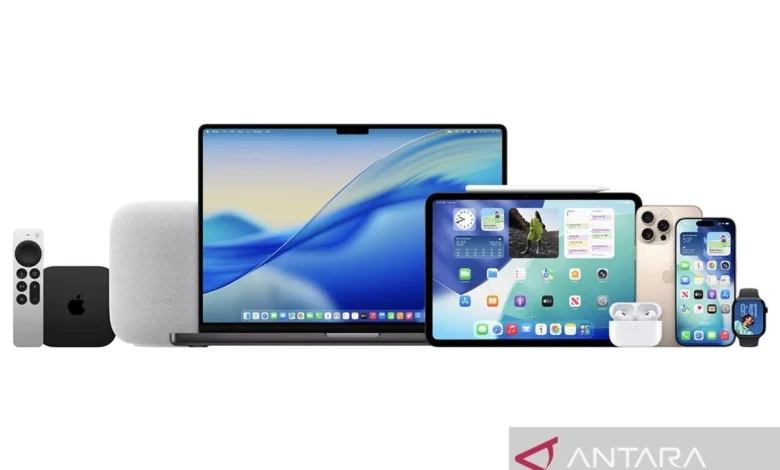
Jakarta (ANTARA) – Apple Inc. has officially released iOS 26.2, the latest incremental operating system update for its iPhone lineup, bringing a suite of new features, crucial bug fixes, and significant security enhancements designed to provide optimal protection and an enriched user experience. This update, while not a major generational leap, underscores Apple’s continuous commitment to refining its mobile ecosystem, ensuring both robust security postures and a responsive, user-friendly interface for millions of users worldwide. The release, widely anticipated by the tech community, focuses on stability and practical improvements that integrate seamlessly into daily iPhone usage.
A Refined User Experience and Enhanced Security Posture
The introduction of iOS 26.2 marks a pivotal moment in Apple’s ongoing strategy of iterative improvement, reinforcing the security foundation of its devices while introducing thoughtful features that enhance productivity and personalization. This update addresses critical vulnerabilities, bolstering the iPhone’s defense mechanisms against evolving cyber threats, a paramount concern for users in an increasingly digital landscape. Beyond security, iOS 26.2 delivers tangible improvements to various core functionalities, making the iPhone experience more intuitive and efficient. The update is a testament to Apple’s dedication to providing a secure and feature-rich environment, ensuring that user data remains protected and device performance is consistently optimized.
Key Innovations and Feature Highlights in iOS 26.2
Drawing insights from official Apple support documentation and leading tech publications like Mac Rumors, iOS 26.2 introduces several functional enhancements, despite being a point release. These additions are designed to streamline daily tasks, offer greater personalization, and improve overall system performance.
One of the most notable new functionalities is the enhanced alarm feature, now deeply integrated with the Reminders application. Users can leverage the "Urgent Reminders" option to configure alarms that bypass the standard notification system, appearing directly on the lock screen. This ensures critical alerts, whether for medication, important deadlines, or urgent tasks, are prominently displayed and less likely to be overlooked, significantly boosting personal productivity and organization. This integration reflects a growing trend in mobile OS development towards more cohesive application ecosystems, where native apps communicate more effectively to serve user needs.
Furthermore, personalization options for the lock screen have been expanded with the introduction of the "Liquid Glass" customization feature. This allows users to apply dynamic, fluid visual effects to their lock screen, offering a more aesthetically pleasing and interactive interface. Such customization features are crucial for user engagement, allowing individuals to tailor their devices to their personal style and preferences, moving beyond static wallpapers to a more dynamic visual experience.
Performance and functionality improvements extend to Apple’s native services, including Apple Music, Podcasts, and Game Center. While specific details on these enhancements are often granular, they typically involve optimizing streaming quality, improving library management, enhancing discovery algorithms, and refining multiplayer gaming experiences. These continuous updates ensure that Apple’s content and entertainment platforms remain competitive and offer a seamless experience across the ecosystem. Moreover, the update includes various bug fixes across the system, crucial for optimizing overall performance, addressing lingering issues, and improving the stability of the operating system.
The Freeform application, designed for collaborative brainstorming and visual ideation, receives a significant upgrade. It now supports the creation of "smart tables" whose dimensions automatically adjust to accommodate varying amounts of text, images, or documents. This intelligent resizing capability enhances the utility of Freeform for professional and creative users, making it easier to organize complex information visually without manual adjustments, thereby boosting efficiency in collaborative projects.
Security and user convenience are further addressed with several other notable additions. iOS 26.2 introduces a screen flash feature for incoming notifications, providing a visual cue that complements auditory alerts, particularly useful in noisy environments or for users with hearing impairments. The AirDrop security protocols have also been enhanced with additional code verification requirements, making file sharing more secure by ensuring that transfers are intentional and authorized, mitigating potential misuse. These security layers are vital in an era where data privacy and secure communication are paramount. Various other minor improvements contribute to a more comfortable and secure user experience, encompassing refinements in system animations, battery management, and accessibility features, though not explicitly detailed in the initial release notes, are standard in such comprehensive updates.
Compatibility and Apple’s Legacy Support
A significant aspect of any iOS update is its compatibility with existing hardware. Apple has affirmed that all iPhones currently running iOS 26 are capable of receiving the iOS 26.2 update. This broad compatibility underscores Apple’s commitment to long-term software support, a distinguishing factor in the mobile industry. The update is available for all iPhone models released from 2019 onwards, including the iPhone 11 series up to the latest iPhone 17 series, as well as the second and third generations of the iPhone SE. This extensive list ensures that a vast majority of active iPhone users can benefit from the latest features and security enhancements without needing to upgrade their hardware immediately.
The comprehensive list of compatible devices includes:
- iPhone 17 Pro Max
- iPhone 17 Pro
- iPhone 17 Plus
- iPhone 17
- iPhone 16 Pro Max
- iPhone 16 Pro
- iPhone 16 Plus
- iPhone 16
- iPhone 15 Pro Max
- iPhone 15 Pro
- iPhone 15 Plus
- iPhone 15
- iPhone 14 Pro Max
- iPhone 14 Pro
- iPhone 14 Plus
- iPhone 14
- iPhone 13 Pro Max
- iPhone 13 Pro
- iPhone 13 mini
- iPhone 13
- iPhone 12 Pro Max
- iPhone 12 Pro
- iPhone 12 mini
- iPhone 12
- iPhone 11 Pro Max
- iPhone 11 Pro
- iPhone 11
- iPhone SE (3rd generation)
- iPhone SE (2nd generation)
This extensive support window is a strategic advantage for Apple, fostering user loyalty and providing a strong incentive for consumers to remain within the Apple ecosystem. It also has environmental implications, as extending the software lifespan of devices reduces electronic waste.
The Update Process: Ensuring a Smooth Transition to iOS 26.2
For iPhone users eager to install iOS 26.2, the process is straightforward but requires adherence to a few best practices to ensure a seamless and data-safe update. As outlined by Apple’s official Support web page, the following steps are recommended:
-
Backup Your iPhone: Before initiating any major software update, it is highly advisable to create a complete backup of your device. This can be done via iCloud or by connecting your iPhone to a computer (Mac or Windows PC) and using Finder or iTunes. A backup serves as a safeguard against any unforeseen issues during the update process, ensuring that your precious data, photos, contacts, and applications can be fully restored if necessary. While rare, corrupted updates can occur, making a recent backup an indispensable precaution.
-
Check Storage Availability: System updates, especially those introducing new features and security patches, require a certain amount of free storage space on the device. iOS 26.2 will need dedicated storage for the download and installation files. Users should navigate to Settings > General > iPhone Storage to verify they have sufficient space. If storage is low, it’s recommended to offload unnecessary apps, photos, or videos to iCloud or a computer before proceeding. Insufficient storage can lead to failed updates or performance issues post-installation.
-
Ensure a Stable Wi-Fi Connection: Downloading the iOS 26.2 update package requires a reliable and strong Wi-Fi connection. Using cellular data for such large downloads is not recommended due to potential data overage charges and slower speeds, which could interrupt the download process. A stable Wi-Fi connection minimizes the risk of corruption during the download.
-
Connect to Power: The update process can be battery-intensive. It is crucial to connect your iPhone to a power source during the entire update procedure to prevent the device from shutting down prematurely. A sudden power loss during installation can lead to software corruption, requiring a more complex recovery process.
-
Initiate the Update: Once these prerequisites are met, users can proceed with the installation:
- Open the "Settings" application on your iPhone.
- Tap on "General."
- Select "Software Update."
- The system will check for available updates. When iOS 26.2 appears, tap "Download and Install."
- Follow the on-screen prompts, which may include agreeing to terms and conditions and entering your passcode.
- The iPhone will then download the update, verify it, and restart to complete the installation. This process can take anywhere from 15 minutes to an hour, depending on internet speed and device model.
By following these steps, users can ensure a smooth and secure transition to iOS 26.2, immediately benefiting from its enhanced features and improved security.
Broader Implications and Industry Context
The release of iOS 26.2, though an incremental update, carries significant implications for Apple, its users, and the broader mobile technology landscape. From a security standpoint, consistent and timely updates like 26.2 are crucial. Cyber threats are constantly evolving, and even minor vulnerabilities can be exploited if not patched promptly. Apple’s rapid deployment and high adoption rates for iOS updates (often reaching 80-90% of compatible devices within months, far outpacing Android) mean a larger user base benefits from these security enhancements quickly, creating a more secure ecosystem overall. This commitment to security is a major selling point for Apple, differentiating it from competitors and fostering user trust.
For the user experience, features like "Urgent Reminders" and "Liquid Glass" customization demonstrate Apple’s ongoing effort to make the iPhone more adaptable and personal. In a market saturated with similar hardware, software differentiation through innovative features and a cohesive user interface becomes paramount. The refinements to Freeform, Apple Music, and Podcasts also cater to the evolving needs of a diverse user base, from creative professionals to casual consumers. These improvements, while not always headline-grabbing, contribute to the overall stickiness of the Apple ecosystem, making it harder for users to switch to competing platforms.
Economically, maintaining robust software support for older devices, as seen with the broad compatibility list for iOS 26.2, contributes to device longevity. This not only benefits consumers by extending the usable life of their iPhones but also subtly supports Apple’s environmental initiatives by reducing the frequency of device upgrades. However, it also presents a challenge, as older hardware must remain performant with newer software, requiring careful optimization.
From an industry perspective, Apple’s predictable release cycle, comprising a major annual update (e.g., iOS 26) followed by several point releases (like 26.2), sets a benchmark. This strategy allows Apple to introduce groundbreaking features once a year while using incremental updates to refine, secure, and stabilize the operating system in between. This contrasts with some competitors who might have less consistent update schedules or broader fragmentation across devices and versions. The continuous refinement also impacts the developer community, who must adapt their applications to the latest APIs and design guidelines, ensuring their apps remain compatible and leverage new system features.
Looking ahead, while iOS 26.2 focuses on current improvements, the tech world is already abuzz with speculation about future releases, such as iOS 27, which is rumored to focus heavily on performance enhancements and the integration of advanced Artificial Intelligence features. This continuous innovation cycle ensures that Apple remains at the forefront of mobile technology, consistently delivering updates that enhance security, functionality, and user satisfaction, solidifying its position as a global leader in the smartphone market. The rollout of iOS 26.2 is another calculated step in this long-term strategy, ensuring that the iPhone continues to evolve with its users.