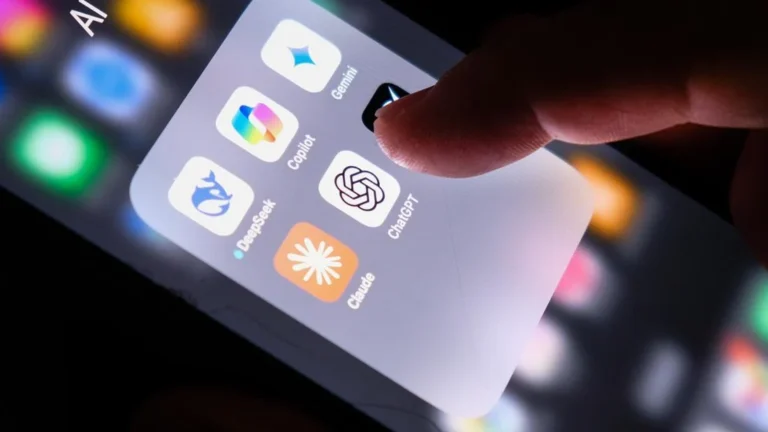
The modern university experience has undergone a fundamental digital transformation, rendering traditional heavy backpacks filled with paper notebooks, voluminous textbooks, and printed scholarly journals increasingly obsolete. In their place, high-performance tablets have emerged as indispensable academic tools for higher education students worldwide. From attending live virtual lectures via Zoom and Microsoft Teams to annotating dense academic PDFs, conducting multi-source literature reviews, and drafting complex research papers, a reliable digital slate is now just as essential as a laptop for campus life.
However, as academic applications become more resource-intensive and multitasking demands increase, hardware specifications—particularly Random Access Memory (RAM)—require careful evaluation before making a purchasing decision. For university students who routinely juggle a dozen browser tabs, split-screen PDF readers, note-taking applications, and video conferencing software simultaneously, a robust memory allocation is crucial. While a processor, operating system optimization, and overall software ecosystem dictate the baseline fluidity of a device, a generous RAM allocation of 12 GB provides the necessary headroom to ensure seamless application switching without frustrating reload lags or unexpected system crashes.
Recognizing this academic need, major consumer technology manufacturers have increasingly pushed high-end performance tiers down into mainstream configurations. Devices equipped with 12 GB of RAM offer a sweet spot for power users, bridging the gap between ultra-portable media consumption devices and heavy-duty workstation laptops. To help scholars navigate the crowded market, industry analysts and tech reviewers have compiled a comprehensive evaluation of eight prominent Android tablets featuring 12 GB of RAM that are uniquely suited to support rigorous university workloads.
The Evolving Role of Tablets in Modern Higher Education
Over the past half-decade, the educational technology landscape has shifted dramatically. Universities have transitioned toward digital-first campuses, requiring cloud-based document collaboration, digital submission portals, and e-book integration. Consequently, the criteria for selecting student hardware have evolved. While raw computing power was once reserved exclusively for engineering or computer science majors utilizing desktop towers, today’s students across all disciplines—from humanities to medical sciences—rely heavily on portable digital displays.
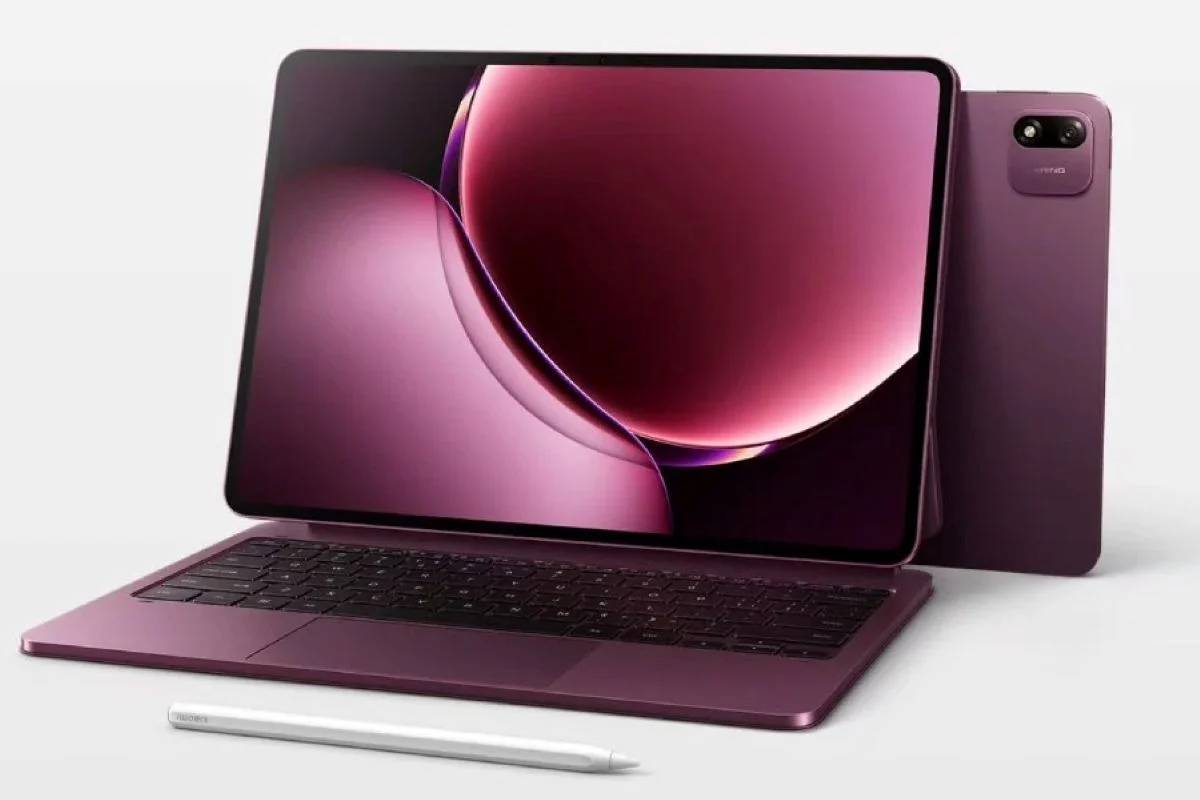
The primary advantage of a tablet lies in its versatility. Equipped with an active stylus, a tablet transforms into a digital sketchbook and notebook, allowing students to handwrite chemical formulas, annotate historical manuscripts, or sketch architectural blueprints directly onto digital documents. Paired with a detachable keyboard folio, these devices instantly morph into lightweight word processors capable of managing long-form thesis writing.
Yet, this versatility places significant demands on internal hardware. Running a split-screen layout comprising a live video lecture on the left, a digital textbook on the right, and a floating note-taking window requires substantial processing power and memory capacity. Standard entry-level tablets featuring 4 GB or 6 GB of RAM often buckle under such pressure, resulting in stuttering animations and closed background applications that disrupt the flow of study sessions. Consequently, industry experts recommend investing in devices with 12 GB of RAM and capable processors to future-proof academic investments throughout a standard four-year degree program.
Key Hardware Considerations Beyond Memory Capacity
While 12 GB of RAM serves as an exceptional baseline for heavy multitasking, tech analysts emphasize that consumers must look at the broader hardware ecosystem before committing financial resources. A holistic evaluation requires balancing several critical components:
-
Display Technology and Size: Screen real estate dictates how comfortably a student can view dual documents. Panels ranging from 11 inches to 12.3 inches offer an ideal balance between portability and workspace, easily sliding into standard university backpacks. Conversely, massive 14-inch displays mimic traditional laptop screens, providing expansive digital canvases ideal for detailed architectural designs or complex data spreadsheets, though at the expense of portability. Panel types—such as OLED, Dynamic AMOLED 2X, or high-refresh-rate LCDs—directly impact eye strain during long hours of reading.
-
Stylus Integration and Software Palm Rejection: For note-taking, the latency, pressure sensitivity, and charging mechanism of the companion digital pen are paramount. Seamless palm rejection technology ensures that students can rest their hands naturally on the glass while writing.
-
Battery Life and Fast Charging: Campus days are notoriously long, often stretching from early morning lectures to late-night library study sessions. A robust battery capacity exceeding 8,000 mAh paired with rapid charging capabilities ensures that a device can be quickly replenished between classes.
-
Software Ecosystem and Multitasking UI: Hardware specifications mean little without intuitive software optimization. Features resembling desktop window management—such as Samsung DeX or custom floating window interfaces—transform standard mobile operating systems into genuine productivity powerhouses.
Top Eight Android Tablets with 12 GB RAM for University Students
Market availability varies significantly by region, meaning students must verify local distributor specifications, warranty terms, and accessory compatibility before purchasing. Below is an exhaustive review of eight standout Android tablets featuring 12 GB RAM configurations designed to elevate the academic experience.
- Xiaomi Pad 7 Pro
The Xiaomi Pad 7 Pro represents a formidable entry for students demanding uncompromised performance and display fidelity. Engineered with an 11.2-inch display boasting a remarkably crisp resolution of 3,200 x 2,136 pixels and a buttery-smooth 144 Hz refresh rate, this device delivers exceptionally sharp text rendering and fluid scrolling through academic journals.
Under the hood, the tablet is powered by the capable Snapdragon 8s Gen 3 processor, paired in select configurations with 12 GB of RAM and up to 512 GB of internal storage. This hardware pairing ensures that resource-heavy academic software runs without a hitch. Powering the device through grueling study schedules is an 8,850 mAh battery supported by rapid 67-watt fast charging, minimizing downtime between classes. Furthermore, the Pad 7 Pro offers robust stylus support, making it an excellent companion for digital note-takers who value a compact, highly responsive form factor.
- Samsung Galaxy Tab S10+
For students prioritizing expansive screen space without stepping up to ultra-large formats, the Samsung Galaxy Tab S10+ stands out as a premier productivity choice. It features a stunning 12.4-inch Dynamic AMOLED 2X display with a resolution of 2,800 x 1,752 pixels, offering deep blacks and vibrant contrast that reduce visual fatigue during marathon reading sessions.
Driven by MediaTek’s powerful Dimensity 9300+ processor and backed by 12 GB of RAM alongside 256 GB of onboard storage, the Tab S10+ handles demanding workloads effortlessly. The inclusion of Samsung’s signature S Pen—which typically ships in the box—empowers students to effortlessly draft handwritten lecture notes, annotate PDF research papers, and sketch structural diagrams. Crucially, Samsung’s proprietary software suite, including Samsung DeX, allows the tablet to adopt a desktop-like user interface when paired with an external keyboard, making it an exceptional laptop replacement for essay writing and academic research.
- Samsung Galaxy Tab S10 Ultra
Students who require the absolute maximum digital workspace available in an Android tablet will find the Samsung Galaxy Tab S10 Ultra hard to surpass. Featuring an enormous 14.6-inch Dynamic AMOLED 2X display with a 2,960 x 1,848 pixel resolution, this device effectively provides the screen real estate of a standard laptop within a tablet chassis.
Equipped with the same MediaTek Dimensity 9300+ processor, 12 GB of RAM, and 256 GB of storage as its smaller sibling, the Ultra model excels at complex split-screen workflows. Scholars can comfortably view a primary lecture video on one side of the screen while maintaining an open word processor and a reference journal simultaneously. However, prospective buyers must weigh its physical dimensions; its sheer size makes it less ideal for cramped lecture hall desk spaces and requires careful consideration regarding backpack fit. It is best suited for students who primarily study at dedicated desks or campus library carrels.
- OnePlus Pad 2
The OnePlus Pad 2 brings a blend of high-end processing prowess and ergonomic design to the academic sphere. Powered by the flagship Snapdragon 8 Gen 3 chipset coupled with 12 GB of RAM and 256 GB of storage, it ranks among the most responsive performance tablets on the market.
Its 12.1-inch display features a unique aspect ratio and a 3,000 x 2,120 pixel resolution with a 144 Hz refresh rate, offering brilliant clarity for digital textbooks. A standout feature for multitasking students is OnePlus’s Open Canvas software implementation, which simplifies the management of floating app windows and split-screen layouts. Backed by a substantial 9,510 mAh battery and 67-watt fast charging, the OnePlus Pad 2 easily survives a full day of classes. Students should, however, verify official local warranty support and the availability of regional accessories before purchasing.
- OPPO Pad 3 Pro
Designed for students who blur the lines between rigorous academic research and creative media production, the OPPO Pad 3 Pro delivers exceptional processing muscle. At its core lies the formidable Snapdragon 8 Elite processor, paired with 12 GB of RAM and 256 GB of internal storage.
The tablet sports a 12.1-inch display with a sharp 3,000 x 2,120 resolution and an adaptive refresh rate scaling up to 144 Hz. This high-end display ensures crisp presentation graphics and effortless document navigation. While the raw hardware is undeniably powerful, students interested in creative majors (such as graphic design, architecture, or digital art) must verify the local availability and compatibility of dedicated stylus and keyboard accessories to fully unlock the device’s creative potential.
- HONOR MagicPad 2
For students who value cinematic media consumption alongside academic utility, the HONOR MagicPad 2 presents a compelling alternative. It features a gorgeous OLED display measuring 12.3 inches with a resolution of 3,000 x 1,920 pixels, delivering incredible color accuracy and deep contrast ratios ideal for viewing medical imaging, digital art, or historical archives.
Driven by the Snapdragon 8s Gen 3 processor and configured with up to 12 GB of RAM in select markets, the MagicPad 2 manages daily multitasking requirements with ease. Its lightweight and thin chassis makes it highly portable for navigating sprawling university campuses. As with several import-heavy brands, buyers must carefully confirm that the specific regional variant they purchase includes the targeted 12 GB RAM configuration and full access to necessary productivity software suites.
- Lenovo Tab Extreme
The Lenovo Tab Extreme targets students who require an ultra-large-format workspace combined with versatile file storage capabilities. Featuring a massive 14.5-inch OLED display driven by a MediaTek Dimensity 9000 processor, this device offers an immersive visual environment for reviewing extensive academic briefs and legal documents.
Configured with 12 GB of RAM and 256 GB of internal storage, it also includes a crucial feature missing from many modern competitors: a microSD card slot supporting expansion up to 1 TB. This makes the Tab Extreme a dream device for medical, law, or engineering students who must store massive local repositories of offline textbooks, video case studies, and reference data. Because this model represents an older generation in Lenovo’s historical product catalog, prospective buyers must exercise diligence by verifying hardware conditions, remaining software update lifecycles, and accessory availability.
- Samsung Galaxy Tab S9 Ultra
Even as newer generations debut, the Samsung Galaxy Tab S9 Ultra remains a highly viable and often more cost-effective option for students seeking top-tier large-screen performance. Featuring a 14.6-inch Dynamic AMOLED 2X display, a Snapdragon 8 Gen 2 processor, 12 GB of RAM, and 256 GB of storage, it sacrifices very little in real-world performance compared to its successor.
A standout advantage of the S9 Ultra is its IP68 dust and water resistance rating, providing valuable peace of mind for students caught in sudden campus downpours or working in busy campus cafes near spilled coffee. Like the Tab S10 Ultra, it includes S Pen support and expandable storage via microSD, cementing its status as a robust, future-proof academic workstation. Buyers should compare current market pricing and software support windows against newer iterations to secure the best overall value.
Strategic Buying Advice: Matching Hardware to Academic Needs
Investing in a high-performance tablet requires a clear-eyed assessment of actual academic requirements rather than succumbing to pure specification sheet enthusiasm. While a 12 GB RAM tablet running a flagship processor provides absolute fluid multitasking, not every student requires such heavy machinery.
For undergraduate students whose academic workflows are largely text-based—consisting primarily of reading PDF journals, typing essays in Google Docs or Microsoft Word, and logging into standard Zoom lecture streams—mid-range tablets with modest memory configurations are often more than adequate. Paying a premium for top-tier processors and maximum RAM yields diminishing returns if the device is only used for basic word processing and web browsing.
Conversely, graduate students, researchers, graphic designers, architecture majors, and STEM students dealing with heavy data visualization, local code compilation, complex multi-app referencing, and high-resolution digital illustrations will find that the investment in a 12 GB RAM tablet pays massive dividends in workflow efficiency. For these power users, the elimination of stuttering, faster app switching, and expansive screen real estate directly translates into saved time and reduced academic stress.
Ultimately, students must factor in total cost of ownership. The initial price of the tablet is rarely the final expense; purchasing active styluses, protective keyboard folios, cloud storage subscriptions, and necessary academic software licenses can substantially inflate the budget. By carefully aligning individual disciplinary demands, ergonomic preferences, and budget constraints with the right hardware configuration, university students can secure a powerful digital companion designed to successfully carry them through years of higher education.